How to Log into a PowerSchool Parent Access Account
Go to Minidok School District PowerSchool Page
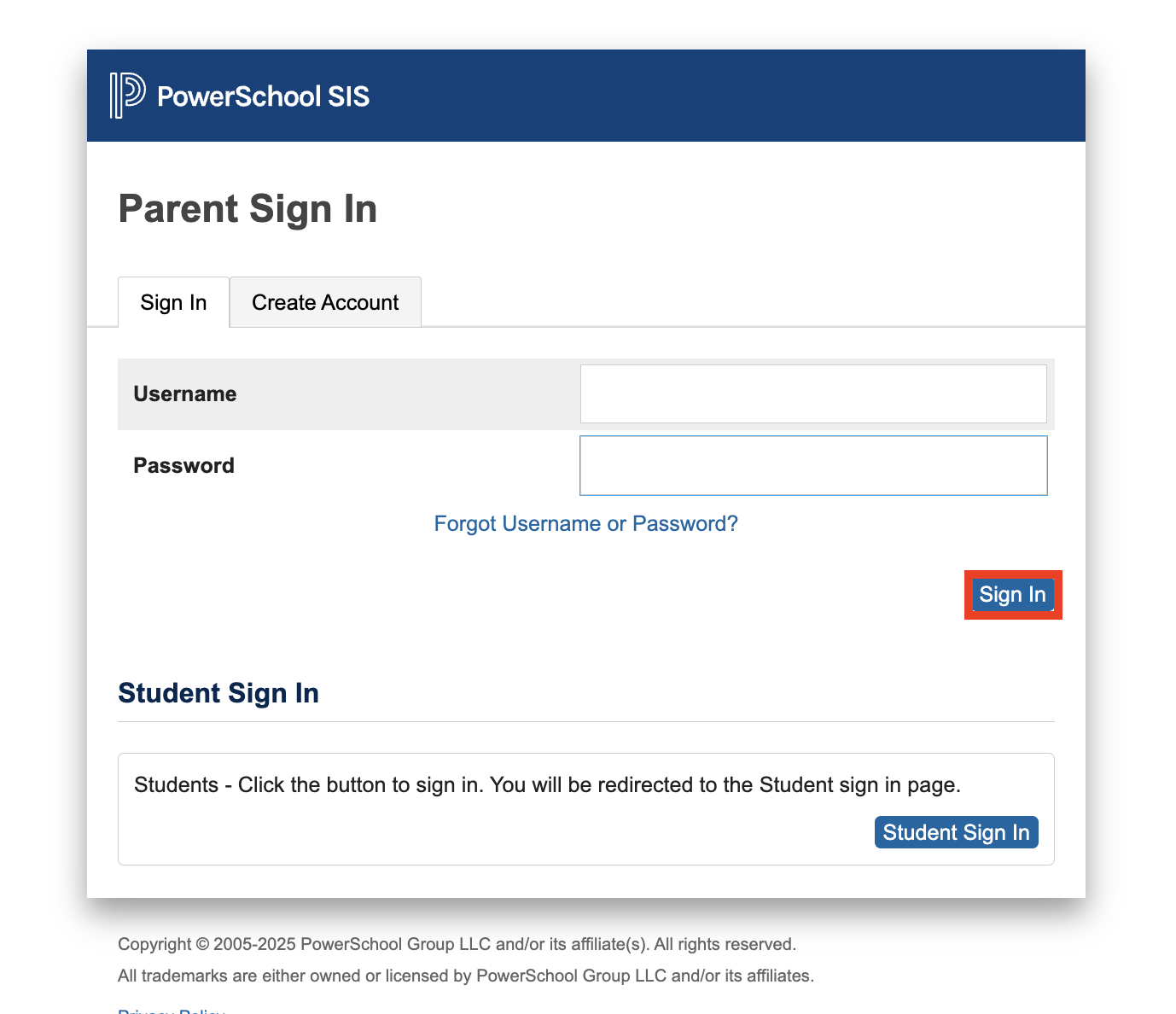
On the “Sign In” tab, enter the username and password that you created (above).
Click the “Sign In” button.
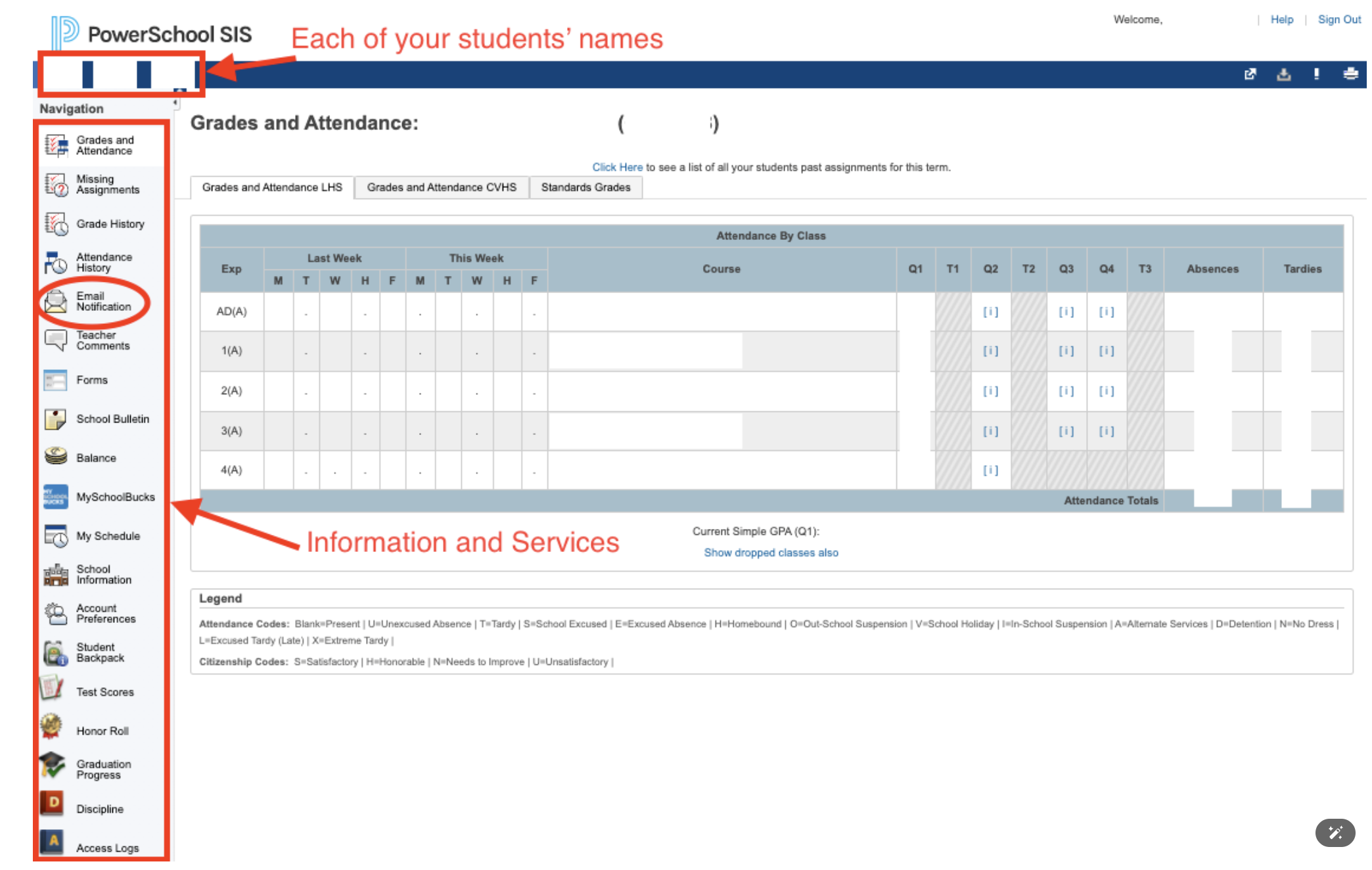
Listed along the left side are all of the things you can access.
Listed along the top are the name(s) of your student(s).
How to Set up Email Notifications in PowerSchool
Log into your PowerSchool Parent Account (see above).
Click “Email Notification” (above left).
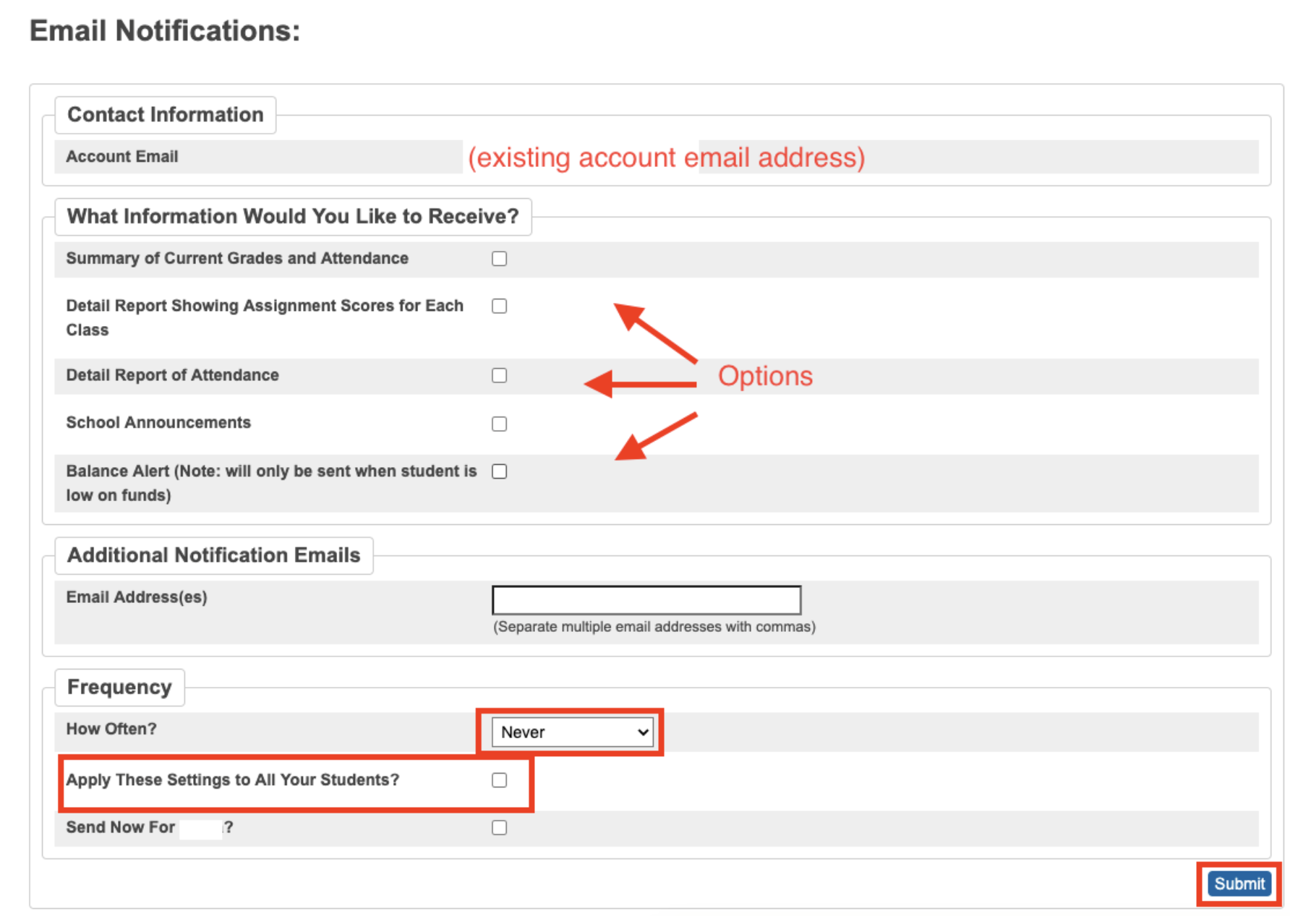
Add any additional email addresses (other than the one you set up with the account).
Select what information you would like to receive.
Choose how often you would like to receive this information.
Select “Apply These Settings to All Your Students” if you wish.
Click “Submit”.